Application Development
From public website to member portal: planning a connected customer experience
Use the published ValleyMen scope to plan the transition from learning about a service to accessing it privately.
← The Signal — BlogIn this piece
For a membership business, a successful enquiry is the start of another journey. Someone who understood the public offer now needs to access the service, find the right information, and ask for help. If those steps are planned separately, a polished website can lead into a confusing delivery experience.
ValleyMen provides a published example of a broader scope: a public program website, member and admin portals, messaging, and operating workflows. This article uses that scope to explain the planning boundary. It does not expose private member data or claim measured adoption results.
What the public experience needs to settle
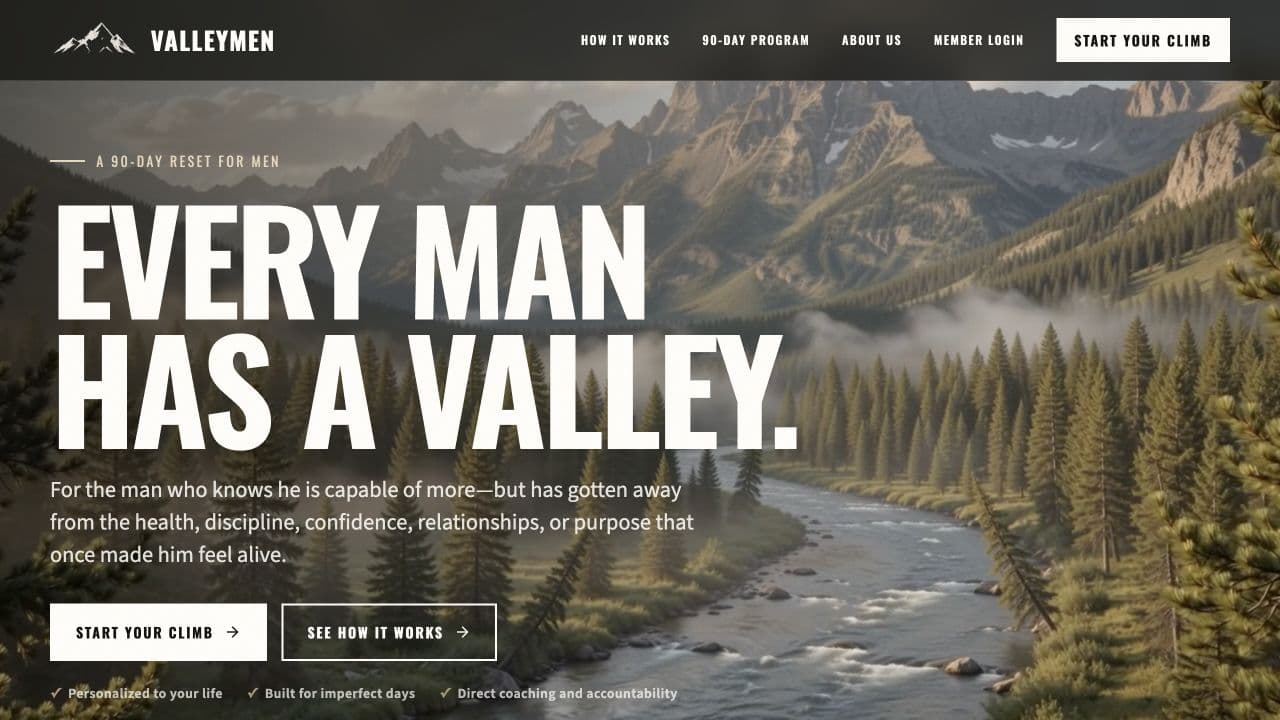
The ValleyMen case study describes a 90-day program experience with program information, philosophy, founder context, FAQs, and a consultation flow. These elements help a prospective member decide whether to continue.
Public pages should explain what someone is considering and how the next step works. They should not require access to a private account merely to understand the offer. Equally, a public explanation of membership does not replace the instructions a new member needs once enrolled.
Write down the transition
Before deciding how screens look, define the event that permits access. Depending on the business, that might be an approved application, a completed purchase, or a staff decision. This is an illustrative set of possibilities, not a description of ValleyMen's internal implementation.
Then identify which system records that decision and who can correct it. An email invitation is a communication; the underlying record should determine whether access is allowed.
The following worksheet helps expose incomplete handoffs:
| Moment | Question to resolve | Owner to name |
|---|---|---|
| Enquiry received | Who responds, and where is the enquiry recorded? | Sales or program intake |
| Access approved | Which event authorizes membership? | Enrollment administrator |
| Invitation opened | What happens if the invitation expired or went to the wrong address? | Support or account administrator |
| Member needs help | Where does the message go and who can see it? | Program support |
| Membership changes | What access changes, and what records must remain? | Account owner |
If two systems can each change the same status, decide how conflicts are resolved. Otherwise, a member may appear active in one place and inactive in another.
Design the staff experience alongside the member experience
The published ValleyMen scope includes admin tools and messaging as well as member access. That matters because the member's experience depends on someone being able to support it.
For your own portal, walk through a support request from both sides. Can the member describe the problem? Can an authorized staff member see the relevant context? Is there an obvious way to tell whether the request has been answered?
Keep permissions explicit. OWASP's authorization guidance recommends validating permissions on every request and denying access by default. A separate admin navigation bar does not establish that protection by itself. OWASP Authorization Cheat Sheet.
Keep the first release complete and narrow
An initial release does not need every dashboard idea. It does need a complete path through the service you promise. For an illustrative program, that could mean access, essential material, a help route, and the staff controls needed to support those activities.
Test the awkward cases before launch: a returning user with the wrong account, an expired invitation, an interrupted form, and a member who should no longer have access. Record who can resolve each case.
The custom web application guide includes a first-release specification and a comparison with existing tools. If a public website is the main need, start with Website Design. When the scope includes accounts, private information, and operating tools, Application Development is the relevant path.
Bring both journeys to a working session: how someone chooses the service, and how they receive it. Seeing them together makes the missing handoffs much easier to discuss.
Put this into practice
Bring the decision you’re working through.
A working session is a chance to review your goal, the tools or website you have, and the help you need. We’ll identify a sensible next step and discuss scope before any project commitment.
Website Design →Application Development →Book a working session