Application Development
Deciding whether you need a custom web app
Compare existing software with a custom portal, dashboard, or product, then define a first release you can evaluate.
← GuidesIn this piece
The case for a custom application starts with work an existing tool cannot handle well enough. It might involve a distinctive member experience, a process that crosses several systems, or permissions that a shared spreadsheet cannot express. Wanting a dashboard is the beginning of a conversation, not yet a build brief.
This guide is for a founder or team lead deciding whether to buy software, connect existing tools, or commission an application. It includes a way to define the first useful release without pretending the operating work ends at launch.
Separate the public website from private work
A public website explains a service and helps someone take the next step. An application lets users do something with their own information: manage a membership, review a job, send a message, or act on a report.
The two can share a visual identity, but they have different responsibilities. Private software needs rules about who can see and change each record. Signing in establishes identity; it does not by itself settle what that person is allowed to do.
OWASP recommends least privilege, denying access by default, and checking authorization on every request. Those requirements belong in the scope and testing plan, beyond what the interface happens to display. OWASP authorization guidance.
Compare three routes using one task
Choose a complete task, such as “a member sends a question and an authorized administrator responds.” Walk through it using an existing product, a possible integration, and a custom interface.
| Route | Useful when | Cost or constraint to investigate |
|---|---|---|
| Existing software | Its normal process fits your essential work | Subscription tiers, access controls, exports, and compromises |
| Connected tools | The capability exists but handoffs are repetitive | API access, retries, duplicate records, and ownership across systems |
| Custom application | Essential journeys or permissions need their own design | Build cost, security, maintenance, support, and ongoing hosting |
Do not compare only the purchase price. Include setup, migration, subscriptions, staff administration, support, and the work required to leave. Conversely, do not build a custom system simply to avoid a modest subscription if the existing product already fits.
Write the first release around a completed journey
An illustrative membership portal might begin with invitation, account access, a program overview, and a way to ask for help. Advanced reporting and a community feed can wait if members can complete the core journey without them.
Use this short specification:
- People: Who uses the system and who administers it?
- Records: What information exists and which system owns the authoritative copy?
- Actions: What can each person read, create, change, or remove?
- Exceptions: What happens with an expired invitation, duplicate account, or unavailable integration?
- Acceptance: Which complete tasks must succeed before launch?
Draw the permissions as a table. Include an unrelated user attempting the same action. “The button is hidden” is not an acceptance condition for private data.
Use published work to examine the boundary
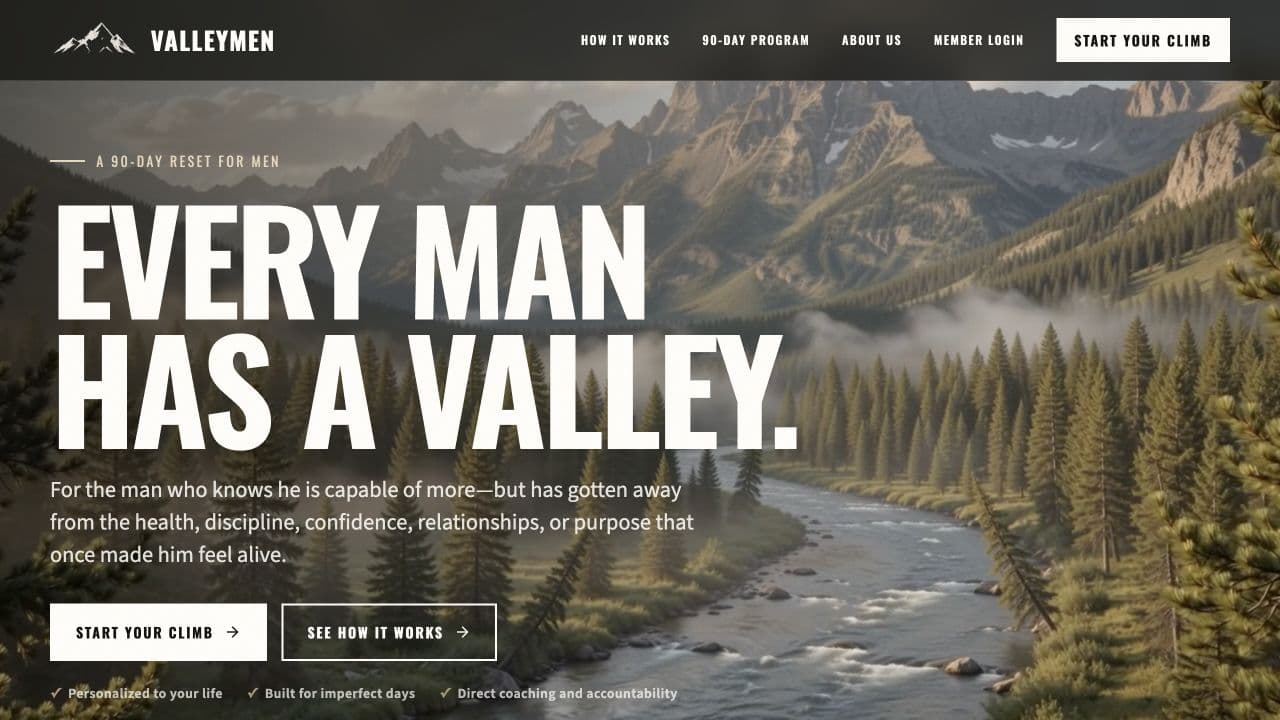
The ValleyMen engagement spans the public program site, member and admin portals, messaging, and workflows. It is a useful example of why a public conversion is only one part of a connected service.
Valori demonstrates a founder-built product. It should be evaluated as product-building experience, with that relationship clear, rather than presented as an external client engagement.
If you need a new product or private operating surface, explore Application Development →
If the tools already fit and only the handoff is missing, AI Automation may be the more suitable conversation.
Budget for the life of the application
Ask who owns hosting accounts, the code repository, domain, data, backups, and third-party credentials. Agree how someone reports a problem and who is responsible for reviewing failures. Document how data can be exported and how access is revoked.
Support arrangements vary. A scoped launch engagement should state what testing and handoff are included. Ongoing monitoring, maintenance, and feature development should be agreed explicitly. Custom builds at Jiberish Labs receive a scope-based estimate; this guide does not imply a standard price or delivery duration.
Bring the core journey, permissions table, and existing-tool comparison to discovery. That material makes it possible to discuss a smaller, useful release instead of pricing a list of loosely connected features.
Continue with planning a connected customer experience for a closer look at the public-to-private transition.
Practical questions
Can we move existing member data into a new application?
Migration can be part of the scope. First inspect the source data, export options, field mapping, permissions, and cleanup required. Agree a validation sample, a cutover plan, and a way to resolve records that do not map cleanly before importing production data.
Can an existing public website stay in place while a portal is built?
Often, yes. Discovery should establish how the site links to the portal, how the visual identity carries across, and which system controls account access. The right arrangement depends on the existing platform and integration requirements.
Put this into practice
Bring the decision you’re working through.
A working session is a chance to review your goal, the tools or website you have, and the help you need. We’ll identify a sensible next step and discuss scope before any project commitment.
Application Development →Book a working session